




Tech Specs
LED-backlit LCD monitor / TFT active matrix
27″ (68.58 cm)
27″
USB 3.2 Gen 1 hub
IPS
16:9
Full HD (1080p) 1920 x 1080 at 60 Hz
0.3114 mm
82
300 cd/m²
1000:1
16.7 million colours
8 ms (grey-to-grey normal); 5 ms (grey-to-grey fast)
178°
178°
Anti-glare
WLED
99% sRGB colour gamut, Flicker Free technology, Mercury free, arsenic-free glass, Dell ComfortView Plus
60.99 cm x 19.01 cm x 53.415 cm – with stand
- DisplayPort (DisplayPort 1.2 mode, HDCP 1.4)
- VGA
- HDMI (HDCP 1.4)
- USB 3.2 Gen 1 upstream
- 4 x USB 3.2 Gen 1 downstream
Height, pivot (rotation), swivel, tilt
-5°/+21°
-45°/+45°
-90°/+90°
150 mm
100 x 100 mm
Security lock slot (cable lock sold separately), VESA interface support
- 1 x DisplayPort cable – DisplayPort to DisplayPort – 1.8 m
- 1 x USB 3.2 Gen 1 upstream cable
RoHS, NFPA 99, DisplayPort 1.2, BFR-free, HDCP 1.4, PVC-free
AC 100-240 V (50/60 Hz)
15 W
55 Watt
0.2 Watt
0.3 Watt
0.2 Watt
Dell Display Manager
9.31 kg
Yes
3 years Advanced Exchange Service and Limited Hardware Warranty
Features & Design
A better view from anywhere
Comfort without sacrificing color:Optimize eye comfort with Comfort View Plus, an always-on, built-in screen that reduces potentially harmful blue light emissions while delivering excellent color accuracy.
Color consistency comes standard:See consistent, vibrant colors across a wide viewing angle enabled by In-Plane Switching (IPS) technology. With 99% sRGB coverage, you get precise color right out of the box.
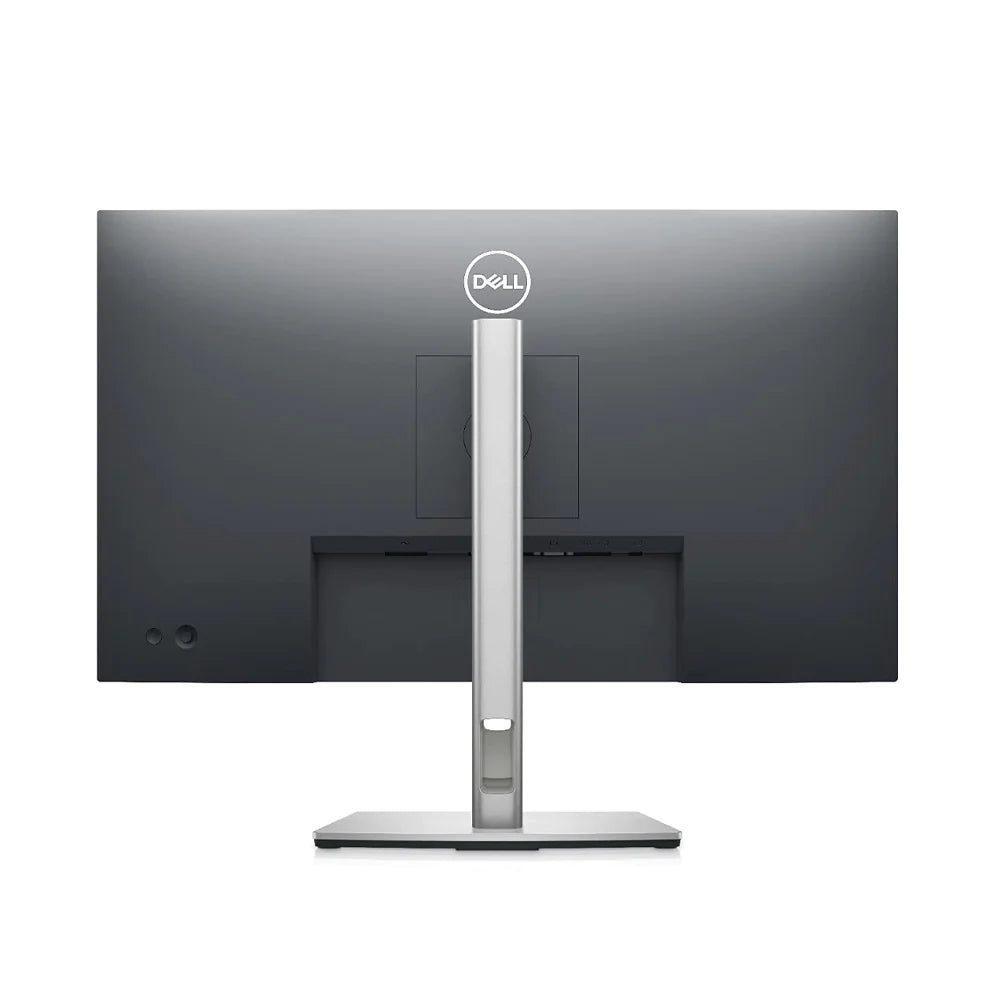
Sleek, stylish and organized:Hide cords in the monitor riser to keep things organized. This sleek monitor has a three-sided ultrathin bezel, small base, and an improved, easy-to-use cable management system.
Comfort is key:Tilt, swivel, pivot and adjust the height of your monitor (150mm height adjustment range) for extra comfort during work.
Designed with you in mind:Snap on the Dell Slim Soundbar (SB521A) and elevate your listening experience.
Connect to productivity
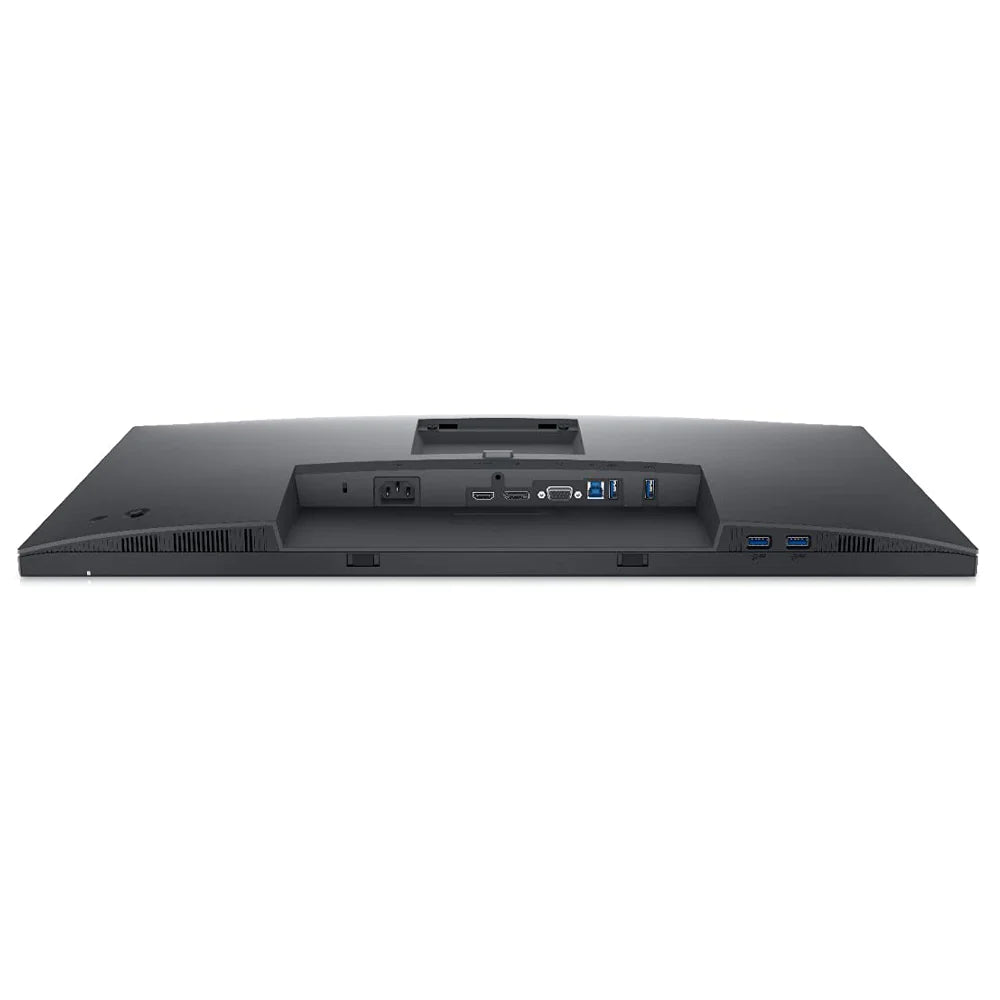
Extensive connectivity:Easily connect to a variety of devices with extensive connectivity ports, including DisplayPort, HDMI, VGA and 4x SuperSpeed USB 5Gbps.
Quick-access ports:Easily share and deliver content via quick-access ports conveniently placed at the front of the display.
Expand your efficiency:The three-sided ultrathin bezel design lets you enjoy an uninterrupted view of your content across multiple monitors. Furthermore, you can boost your productivity by up to 21% with a dual monitor setup.
Dell Display Manager
Productive at every level:Easy Arrange allows you to easily tile multiple applications across one or more screens with 38 pre-set window partitions and the ability to personalize up to five windows, giving you improved multitasking abilities.
Seamless transitions:The auto-restore feature remembers where you left off, so applications will go back to where you left them, even after you’ve unplugged.
The key to convenience:Shortcut keys can save you even more time, letting you easily configure your display management settings so you can get to work faster.
More ways to manage:Asset management reports allow IT managers to quickly capture and track monitor information as well as configure multiple monitors at once through a single setup.
Green thinking for today and tomorrow
Environmental standards:This monitor meets the latest regulatory and environmental standards such as EnergyStar®, EPEAT® Gold and TCO Certified Edge Displays.
Eco-conscious packaging:To reduce our manufacturing impact on the environment, this monitor is shipped Styrofoam-free and the packaging is made of at least 75% recycled cardboard.
Energy conservation:Save energy when your monitor is not in use with PowerNap, a feature that dims or puts your monitor to sleep when it’s not in use.
Ports & Slots:
1. Security-lock slot | 2. Power connector | 3. HDMI port | 4. Stand lock | 5. DisplayPort | 6. VGA connector | 7. SuperSpeed USB 5Gbps upstream port | 8. SuperSpeed USB 5Gbps downstream port (4)
Cables Included:
Power cable | DisplayPort to DisplayPort cable (1.8 meters) | SuperSpeed USB 5Gbps upstream cable







Reviews
Clear filtersThere are no reviews yet.